
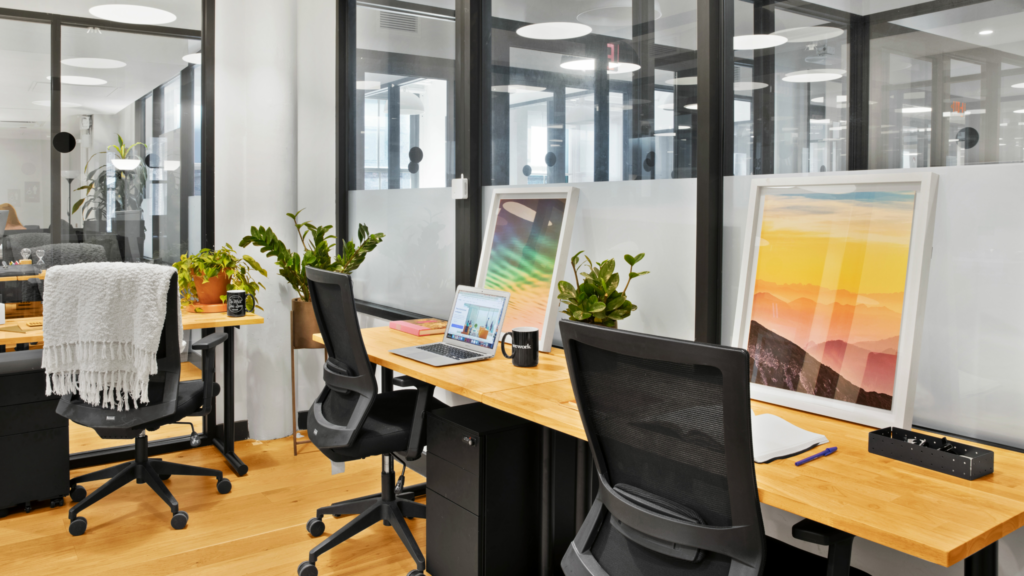
A cluttered desk does more than look messy; it teaches your brain to work in pieces. The best desk setup ideas are not about copying a perfect online photo, because most real American workers are dealing with apartment corners, shared family rooms, noisy kitchens, tight bedrooms, or hybrid schedules that change every week. Your desk has to support focus when the house is loud, comfort when the day runs long, and order when deadlines start crowding each other. A polished workspace also sends a quiet signal to clients, coworkers, and even yourself that the work happening there matters. That is why many professionals look for reliable business and productivity resources while building better habits around how they work. A smart desk does not need luxury furniture or a giant room. It needs clear zones, fewer distractions, better lighting, and tools placed where your hands already want them. When the setup fits your actual day, work stops feeling like a fight with your own environment.
Build the Desk Around How You Actually Work
A good setup begins with honesty, not shopping. Too many people buy a chair, monitor arm, cable tray, and fancy lamp before asking what their workday actually demands. Someone taking client calls in Dallas needs a different arrangement than a freelance designer in a Brooklyn studio or a remote teacher in Ohio grading assignments at night.
Why Your Daily Workflow Should Decide the Layout
Your desk should match the movement of your work. If you spend half the day typing and the other half reviewing paper notes, your keyboard cannot own the whole surface. You need a clear writing lane beside your main screen, not a pile of notebooks stacked behind your coffee mug.
A strong home office setup starts by mapping your repeated actions. Place your laptop or monitor where your eyes land first, keep your notebook on your dominant-hand side, and move rarely used items out of reach. That sounds plain, but it solves the tiny friction that steals time all day.
Think about a tax preparer working from a spare room during spring filing season. Receipts, client forms, a calculator, and a second screen all need a place. A pretty desk with no paper zone would fail fast. The setup works only when the surface respects the job.
How to Separate Deep Work From Quick Tasks
Your desk should not treat every task as equal. Deep work needs visual calm, while quick tasks need speed. Mixing both into one messy pile creates mental drag before you even start.
Set one side of the desk for focus work and the other for short actions. The focus side may hold only your keyboard, mouse, monitor, and one notebook. The quick-task side can hold mail, sticky notes, a planner, or items that need a decision before the day ends.
This simple split helps workstation organization feel natural instead of forced. You are not cleaning for the sake of cleaning. You are giving each type of work a place to land, which makes switching tasks less chaotic.
Design for Comfort Before Style
Style matters, but comfort decides whether the setup survives past the first week. A desk can look sharp on Monday and feel miserable by Friday if your neck tilts, your wrists bend, or your chair makes you shift every ten minutes. The best setup looks good because it works well first.
What Makes an Ergonomic Desk Feel Natural?
An ergonomic desk should help your body stay neutral without making you think about posture all day. Your screen should sit near eye level, your feet should rest flat, and your elbows should stay close to a relaxed 90-degree angle. The goal is less strain, not a stiff office pose.
A monitor riser can fix a low screen without replacing the whole desk. A footrest can help if your chair is too tall. A separate keyboard and mouse can turn a laptop station into a healthier work area, especially for people working long hours from home.
Here is the counterintuitive part: the most comfortable setup is not always the most expensive one. A $25 riser and a better chair adjustment can beat a pricey desk that still puts your shoulders in the wrong position.
Why Lighting Changes Your Energy Faster Than Decor
Bad lighting makes good work feel heavier. Overhead glare, dark corners, and harsh screen contrast push your eyes harder than you notice. By late afternoon, that strain can feel like low motivation when it is actually poor light.
Place your desk near natural light when possible, but avoid putting the screen directly against a bright window. A side angle usually works better. Add a warm desk lamp for evening work, especially if your workspace sits in a bedroom or shared apartment corner.
For productive workspaces, lighting is not decoration. It is fuel. A small lamp placed on the opposite side of your writing hand can reduce shadows, soften the room, and make the desk feel ready for work even after dinner.
Modern Desk Setup Ideas That Keep Clutter From Winning
Clutter does not appear because people are careless. It appears because a desk has no rules for what belongs there. The cleanest setups are not empty; they are selective. Every item has either a daily job, a storage place, or a reason to leave.
How Can Cable Control Make a Desk Look Cleaner?
Cables are the fastest way to make a modern setup look unfinished. Even a great monitor, keyboard, and lamp lose their impact when cords spill across the floor. Cable control gives the desk a calmer shape before you buy another accessory.
Use adhesive clips along the back edge of the desk, a cable sleeve for grouped wires, and a tray under the surface for power strips. Keep charging cables at one fixed point instead of letting them wander across the work area.
A remote worker in Phoenix with a laptop, monitor, phone charger, webcam, and speaker can cut visible cord mess in under an hour. The desk will feel larger afterward, even if the surface size has not changed at all.
What Storage Belongs on the Desk?
Desktop storage should serve active work only. Pens, a notebook, headphones, and one small tray can stay nearby. Old receipts, spare chargers, mail, manuals, and random tech parts should live somewhere else.
This is where workstation organization becomes a boundary. A drawer unit, wall shelf, or rolling cart can hold supplies without letting them invade the work zone. The desk stays reserved for the current day, not every unfinished thought in the house.
A strong home office setup also needs an end-of-day reset. Spend three minutes returning loose items to their zones. That small habit beats one giant cleanup every Sunday night, because mess never gets a full week to settle in.
Make the Space Feel Personal Without Making It Busy
A productive desk should not feel sterile. People work better in spaces that feel like they belong to them. The trick is choosing personal details with restraint, so the desk gains warmth without turning into a display shelf.
Why One Personal Anchor Works Better Than Ten Decorations
One personal item can change the whole mood of a desk. It might be a framed family photo, a small plant, a ceramic cup from a favorite trip, or a print that makes the room feel less rented. The item should steady you, not compete with your screen.
Too many objects create visual noise. Your eyes keep checking them even when your mind wants to focus. A desk with one meaningful anchor feels human. A desk with ten tiny objects often feels like another task waiting to be cleaned.
This matters in small U.S. apartments where one room may serve as office, bedroom, and storage space. A single thoughtful detail can mark the work zone without overwhelming the room.
How to Keep Productive Workspaces Flexible
Flexible productive workspaces handle change without falling apart. Your week may include Zoom calls, planning sessions, admin tasks, creative work, and personal paperwork. A rigid desk makes every shift feel like a disruption.
Use movable pieces where possible. A laptop stand, rolling cart, portable light, and wireless keyboard can help the desk adapt. Keep the permanent setup simple, then bring in task-specific tools only when needed.
An ergonomic desk can still feel warm and flexible. The chair, screen, and keyboard should protect your body, while the storage and surface layout protect your attention. When both work together, the desk stops being furniture and starts acting like a quiet partner in your day.
Conclusion
A better workspace is not built by chasing the newest gear. It is built by noticing where your day gets stuck, then removing that friction one choice at a time. Your monitor height, lamp position, cable path, chair angle, and storage habits all send small signals to your brain. Those signals either invite focus or scatter it.
The most useful desk setup ideas are the ones you can live with on a busy Wednesday, not the ones that look perfect for a photo. Start with comfort, protect your surface from clutter, and add personality with a light hand. Then keep adjusting until the desk feels less like a place you have to sit and more like a place where your work can finally settle.
Choose one change today, make it before your next work session, and let your desk prove that focus often begins with the room right in front of you.
Frequently Asked Questions
What is the best way to set up a desk for remote work?
Start with your screen at eye level, your chair adjusted for relaxed shoulders, and your most-used tools within easy reach. Keep the surface clear enough for typing and writing. A good remote desk supports calls, focus work, and quick notes without constant rearranging.
How do I make a small desk more productive?
Use vertical space, remove rarely used items, and keep only daily tools on the surface. A monitor riser, wall shelf, or rolling cart can create storage without crowding the desk. Small desks work well when every item has a clear job.
What should every modern desk setup include?
A comfortable chair, proper lighting, a stable screen position, a keyboard, a mouse, and simple storage cover most needs. Add headphones if you take calls or share space. Skip decorative extras until the core setup feels comfortable and easy to maintain.
How can I improve my desk setup on a budget?
Raise your monitor with a sturdy riser, manage cords with clips, improve lighting with a desk lamp, and clear the surface daily. These low-cost changes often make a bigger difference than buying new furniture before solving the layout problems.
How do I organize my desk for better focus?
Create zones for deep work, quick tasks, and supplies. Keep the center of the desk clear, place active notes nearby, and move old papers away from the surface. Focus improves when your desk shows only what needs attention now.
Is a standing desk worth it for a home office?
A standing desk can help if you use it as part of movement, not as a cure-all. Alternating between sitting, standing, and short walks works better than standing all day. Comfort still depends on screen height, wrist position, and footwear.
How should I place my desk in a bedroom?
Place it where work does not visually dominate the bed. A corner, window-side wall, or small divider can help separate rest from work. Keep the desk tidy at night so the room does not feel like an unfinished office after hours.
What lighting is best for a desk setup?
Natural side light works well during the day, while a focused desk lamp helps in the evening. Avoid glare behind or directly in front of your screen. The best lighting keeps your eyes relaxed and makes the workspace feel active without harsh brightness.